

GitHub login is now available in the LinkMe Portal
LinkMe Portal now supports GitHub OAuth login and registration from the main /auth flow. Teams can onboard with email/password, Google, or GitHub while keeping one account per email.
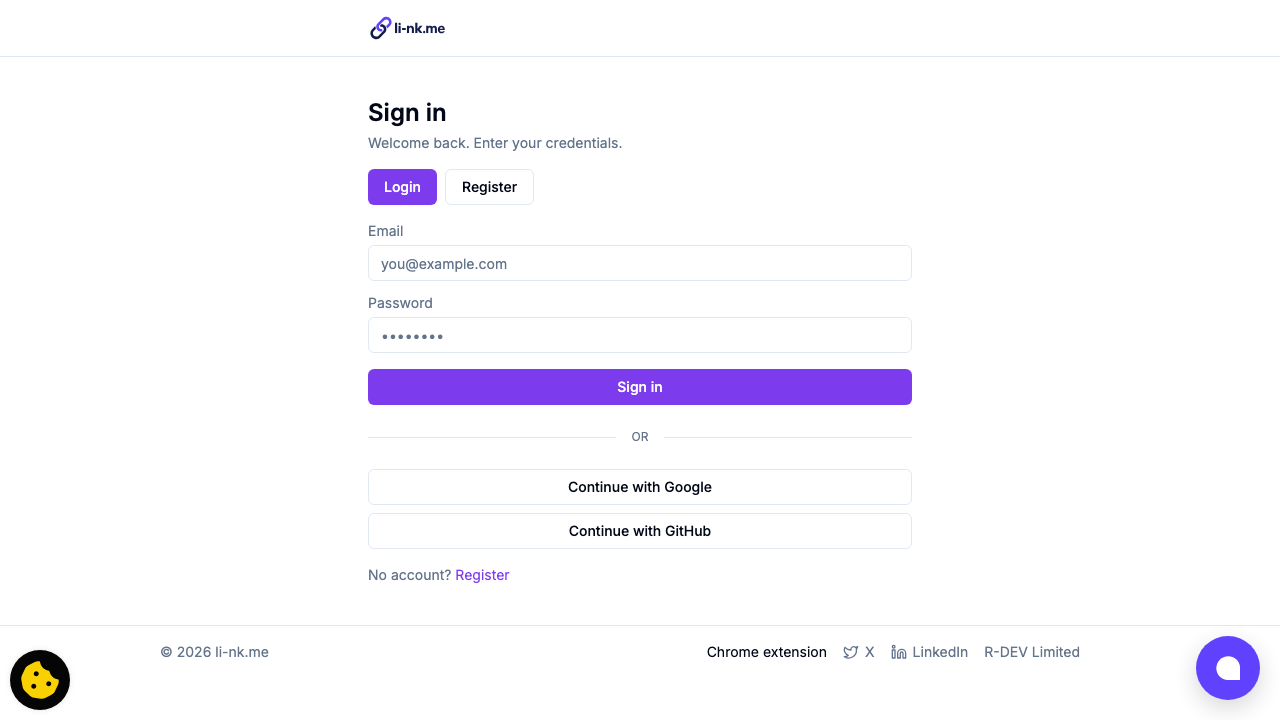 GitHub OAuth is now part of the same auth entry point used for email/password and Google.
What changed
- Added a Continue with GitHub action to Portal auth.
- Added OAuth start + callback handlers for GitHub with CSRF state checks.
- Extended auth analytics to capture
github_oauthas signup/login method. - Updated deployment wiring for GitHub OAuth secrets.
How account linking works
LinkMe currently links credentials by normalized email address.
- If a user signs in with GitHub and the email already exists, LinkMe reuses the same account.
- If the email does not exist, LinkMe creates a new account.
- The same behavior applies to Google OAuth.
This means teams can use email/password and social login on the same account as long as the email matches.
Deployment notes
Use these environment variables for GitHub OAuth credentials:
GH_OAUTH_CLIENT_IDGH_OAUTH_CLIENT_SECRET
For GitHub Actions, avoid secrets starting with GITHUB_ because that prefix is reserved by GitHub.
Callback URL reminder
Your GitHub OAuth app callback must exactly match your active auth domain:
https://li-nk.me/api/auth/github/callbackwhen auth starts fromhttps://li-nk.me/auth
A mismatch causes: The redirect_uri is not associated with this application.