Shorten the page you are on
Grab the current tab instantly, create a short URL, and copy it without bouncing back to the portal.
The li-nk.me Chrome extension is the fastest way to turn the current tab or any pasted URL into a shareable short link. It is built for teams that already use li-nk.me in the portal and want a lighter workflow for campaigns, support, content, and day-to-day sharing.
Published in the Chrome Web Store and ready to use with your existing App ID and API key.
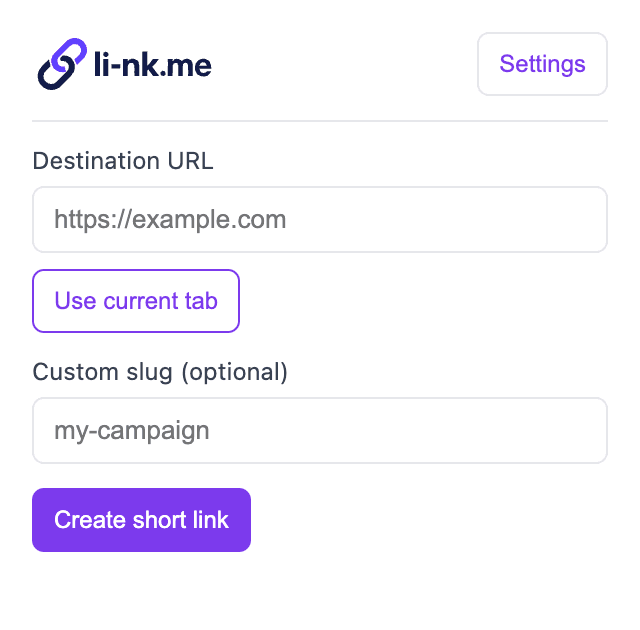
Grab the current tab instantly, create a short URL, and copy it without bouncing back to the portal.
Drop in a readable ending for campaign links, social posts, demos, or support replies.
The extension uses your li-nk.me App ID and API key, so new links land in the same app and workflow you already manage.
Use the extension when you want the speed of a browser action with the control of your existing li-nk.me setup. Content teams can shorten blog posts and landing pages as they review them. Growth teams can create campaign links while checking creative and UTMs. Support and success teams can generate clean links while replying to customers.
Because the extension creates links through your li-nk.me app credentials, every new short URL stays inside the same account, analytics, and management flow you already use in the portal.
Treat the extension API key like any other write credential. Create a key for the intended app, share it only with approved team members, and revoke it when a device or role changes.
We added a step-by-step guide covering installation, credentials, and day-to-day usage so teams can roll the extension out cleanly.
You can also keep managing links, API keys, and app settings in the portal.